Rollback is like an "undo with history" for your AI pages. Every time the AI changes your page, FlexiFunnels saves a copy. If you don't like a new version, you can jump straight back to an older one — without rebuilding anything.
This guide shows you how, step by step.
Read this first (it saves a lot of confusion)
⚠️ The Rollback option only shows up after you use the Re-Prompt feature on a page.
Re-Prompt is when you ask the AI to change the page again. The first time you do that, FlexiFunnels starts saving versions — and that's when the Rollback button appears. So if you don't see Rollback yet, it just means the page hasn't been re-prompted. That's normal.
What you need:
- You're logged in to your FlexiFunnels account.
- You have an AI-generated page that you've re-prompted at least once.
Step 1: Open the AI Site Builder
Log in to your FlexiFunnels account and open the AI Site Builder.
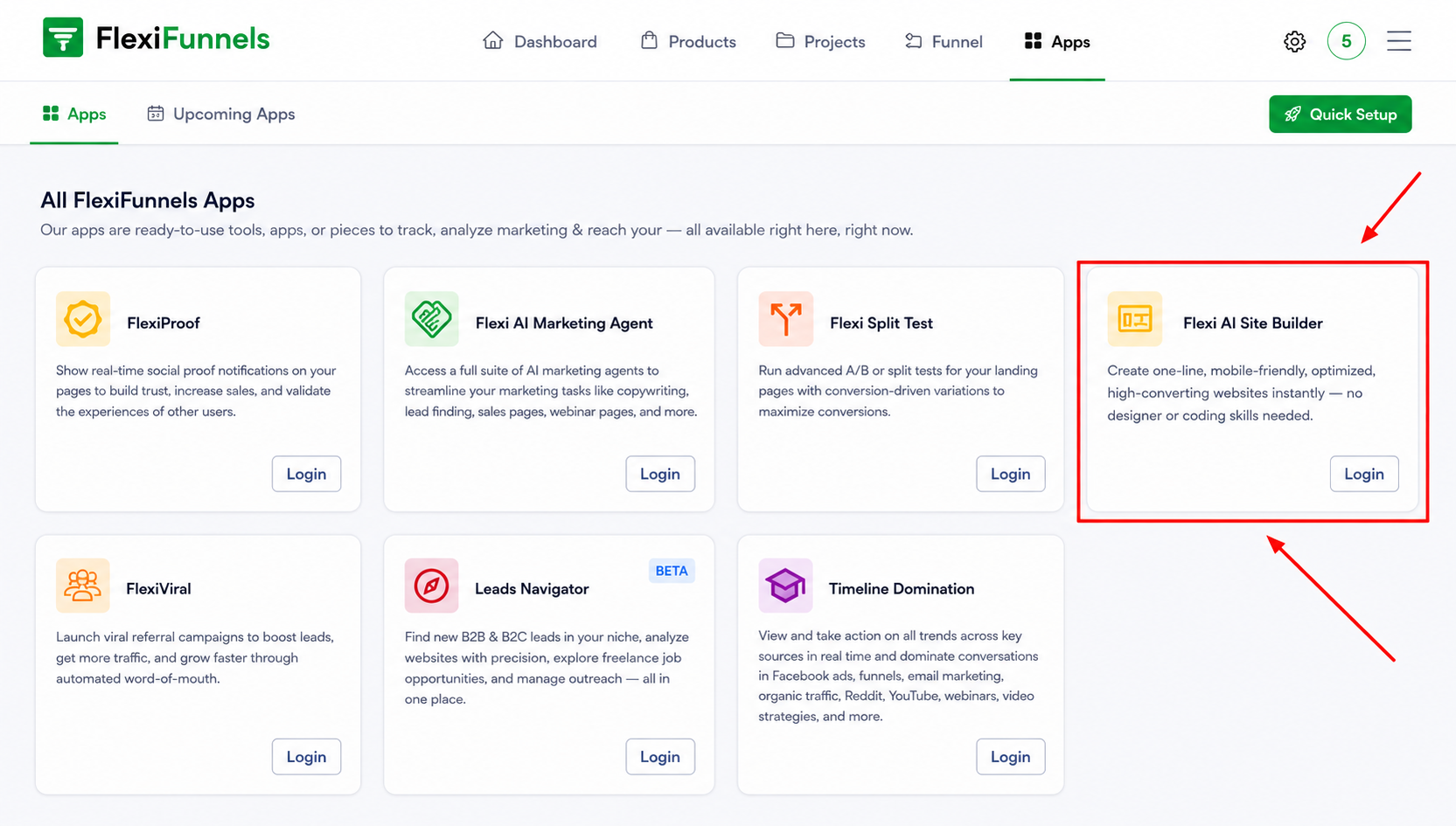
Step 2: Open the page you want to roll back
Go to the exact AI-generated page you want to restore. 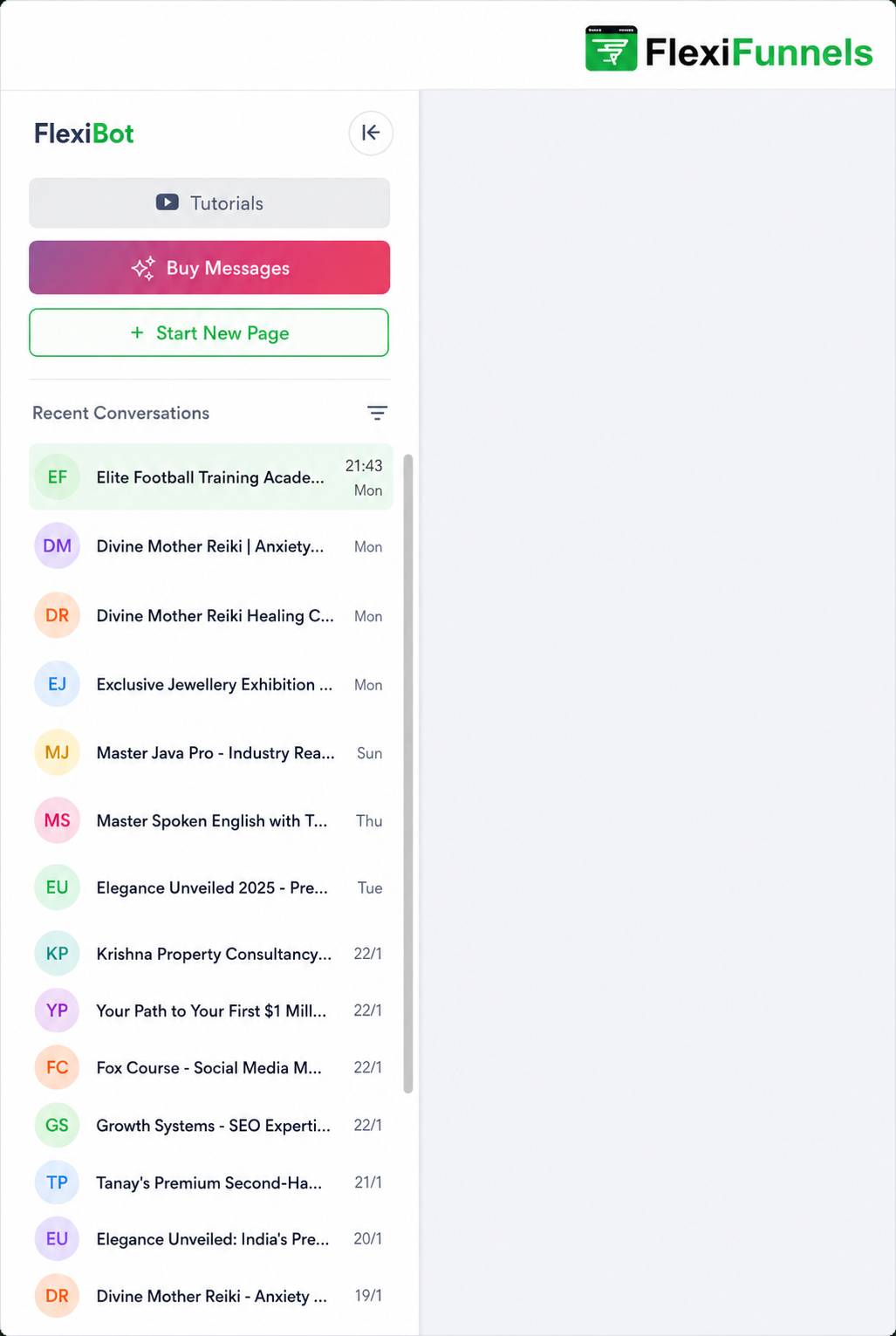
Note- The Rollback option becomes visible only after you use the Re-Prompt feature on that page.
3. Select the Version to Roll Back
1. Select the Version First
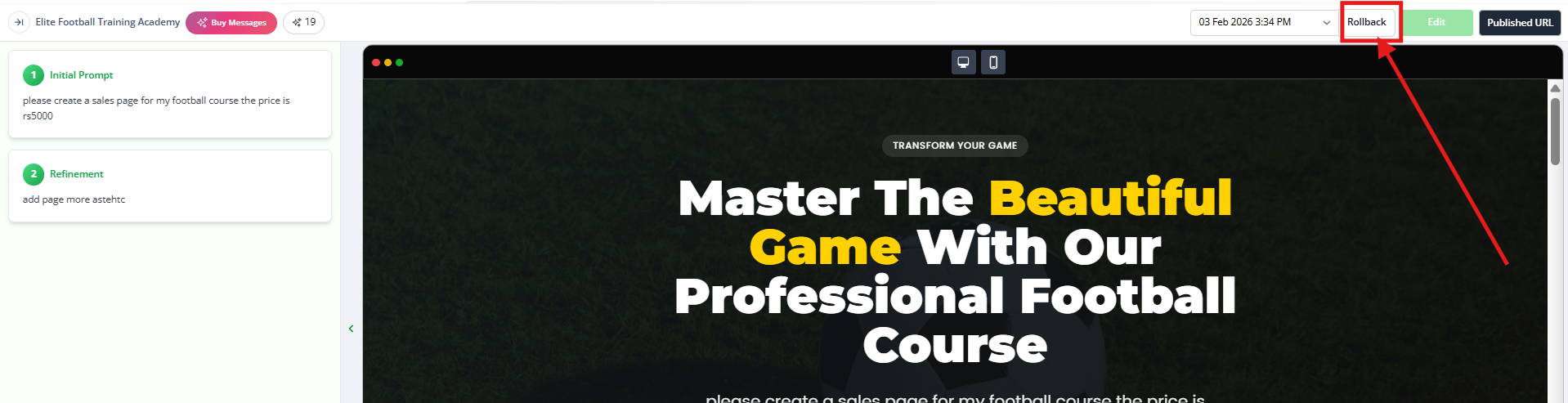
Near the Rollback button, you will see a version selection option.Step 3: Open the version list
Next to the Rollback button, you'll see a version selection option. Click it.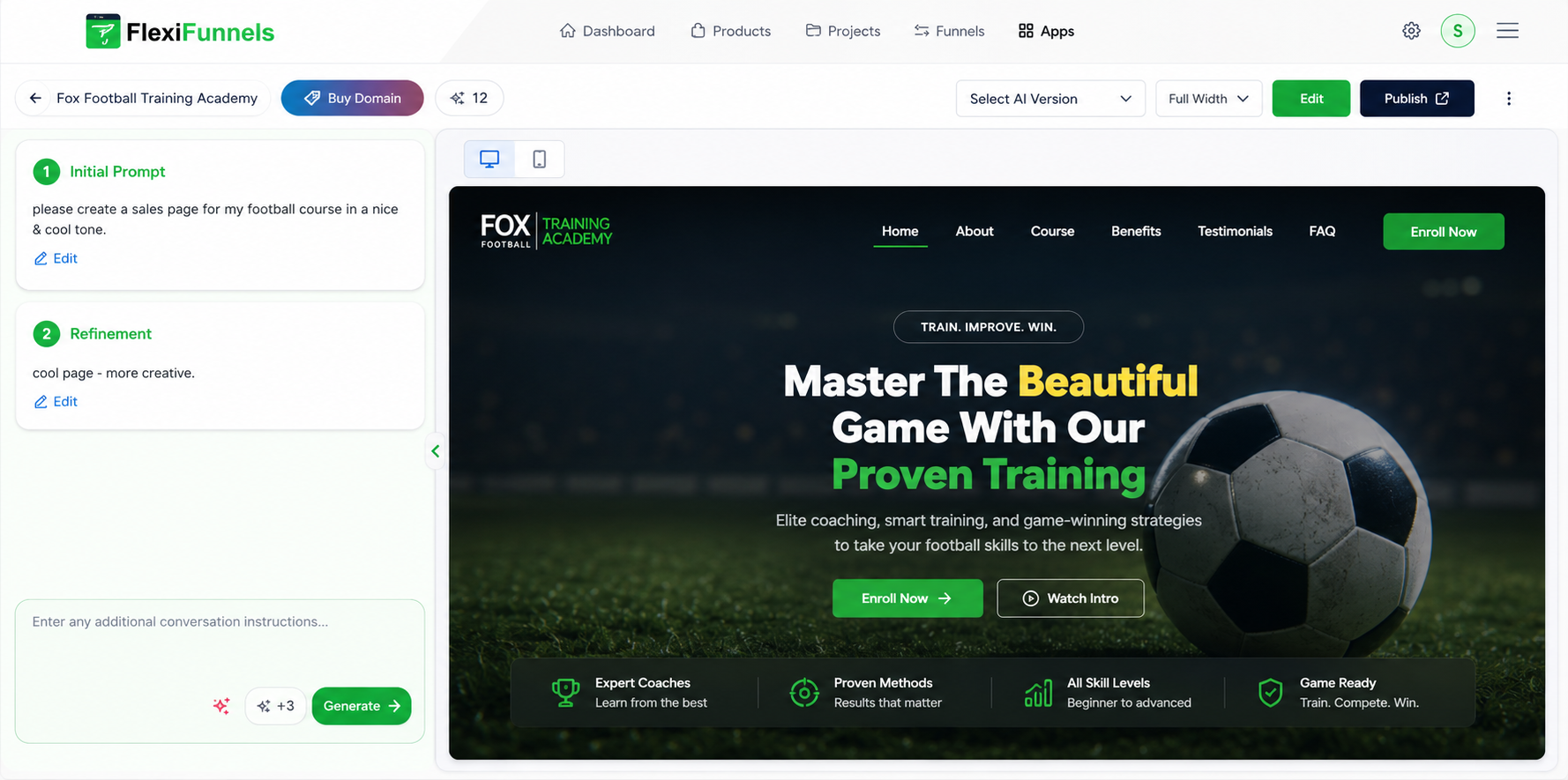 This list shows your current version plus all the older versions. Each one has a timestamp— the date and time it was saved — so you can tell them apart.
Look at the timestamps and pick the version you want to return to. Think: "What time was my page the way I liked it?" — and choose that one.
Step 4: Choose the version you want back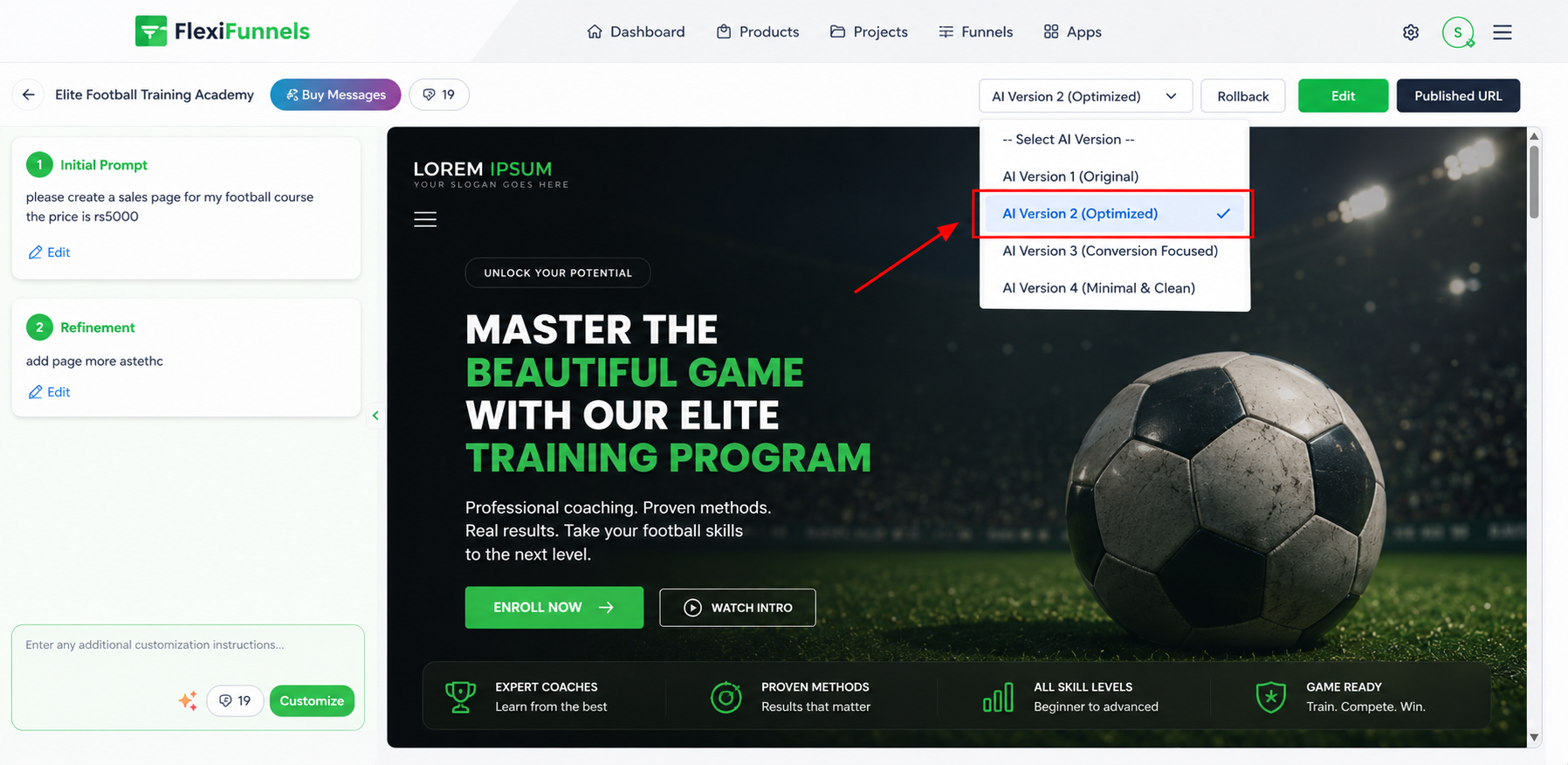
Step 5: Click "Rollback"
Once you've picked the right version, click the Rollback button. FlexiFunnels restores that version of your page.
? That's it! Your page is now back to the version you chose.
When should you use Rollback?
Rollback gives you full control over your AI pages. Here are the most common times it helps:
Undo changes you didn't like. If a re-prompt gives you content or a layout that misses the mark, jump back to the previous version instead of rebuilding from scratch.
Bring back a version that worked better. If an older version had stronger design, copy, or sales, the timestamped history lets you return to it in one click.
Experiment without fear. Try bold new prompts knowing you can always go back. Rollback is your safety net.
Fix accidental edits. Made a change by mistake or sent the wrong prompt? Roll back to your last good version.
Common Issues & Troubleshooting Guide
Before contacting support, review the following solutions to the most frequently reported Rollback-related questions.
1. The Rollback Button Is Not Visible
Possible Cause
The page has not been re-prompted yet.
Recommended Solution
The Rollback feature becomes available only after at least one Re-Prompt action has been performed on the page.
If the page has never been re-prompted:
No previous versions exist.
The Rollback button will not appear.
Run a re-prompt once, and future versions will automatically be added to the version history.
2. Unsure Which Version to Restore
Recommended Solution
Each saved version includes a timestamp to help identify when it was created.
To find the correct version:
Review the available timestamps.
Select the version created around the time the page was in your preferred state.
If you're uncertain, restore a version and review it.
Since Rollback is reversible, you can switch between versions without losing your work.
3. Restored the Wrong Version
Recommended Solution
If you accidentally restore the wrong version, simply open the version history again and select a different version.
There is no limit to the number of times you can use the Rollback feature, allowing you to move between versions as needed.
4. The Page Looks the Same After Rolling Back
Possible Cause
Your browser may still be displaying a cached version of the page.
Recommended Solution
Refresh the page after performing the rollback.
Verify that the restored version has loaded successfully.
If the page has already been published:
Save the restored version.
Re-publish the page.
This ensures that visitors see the updated version on the live page.
5. The Version History Is Empty or Shows Only One Version
Possible Cause
The page has limited version history.
Recommended Solution
FlexiFunnels creates a new version whenever a Re-Prompt action is performed.
If the version history contains only one entry or appears empty:
The page has not undergone multiple AI modifications yet.
Additional versions will automatically be created as you continue using Re-Prompt.
6. Need to Compare Multiple Versions Before Choosing One
Recommended Solution
You can freely switch between saved versions using Rollback.
To compare versions:
Restore the first version and review its content and design.
Return to the version history and restore the second version.
Compare the differences and keep the version that best meets your requirements.
Because Rollback is fully reversible, you can move between versions as many times as needed before making a final decision.
Was this article helpful?
That’s Great!
Thank you for your feedback
Sorry! We couldn't be helpful
Thank you for your feedback
Feedback sent
We appreciate your effort and will try to fix the article