Before You Start
- You need Editor or Admin permissions in your membership project (if you can't drag-and-drop, check your permissions)
- Use a desktop or laptop (drag-and-drop doesn't work reliably on tablets/phones)
- Note: Reordering doesn't affect student progress—it only changes what they see first
Step 1: Open Your Membership Project
- Log in to FlexiFunnels
- Click Memberships in the left sidebar
- Click the membership project you want to edit
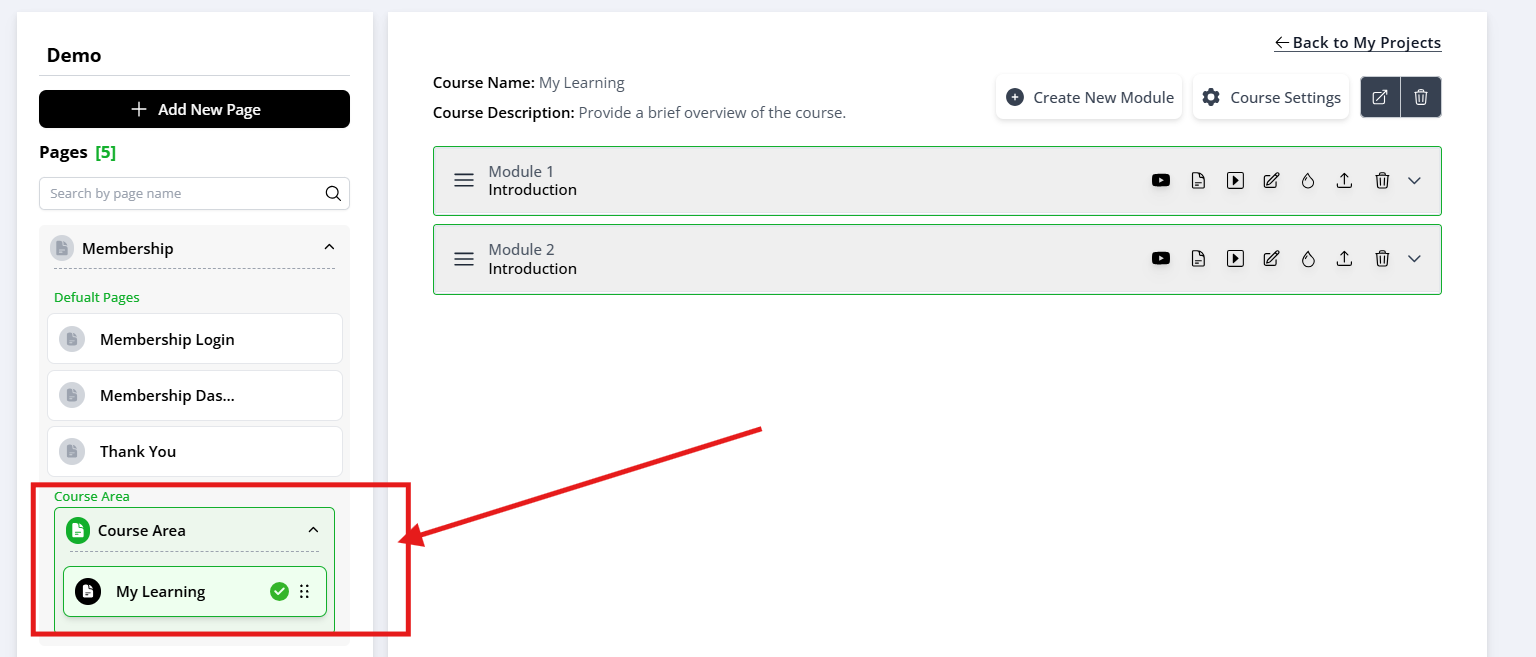
- You should now see your course dashboard with all modules listed
Step 2: Find the Drag Handle
- Look at the list of modules
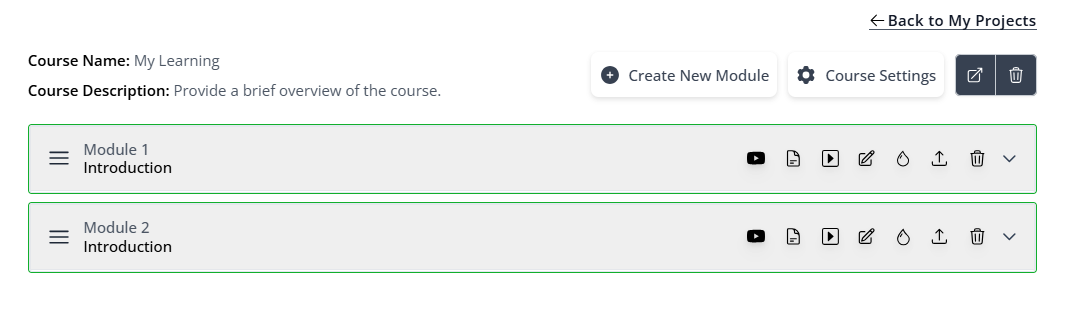
- Before each module name, you'll see three horizontal lines (≡) — this is the drag handle
- Hover over it—your cursor should change to a four-arrow icon (⇅)
Step 3: Drag and Drop Modules
- Click and hold the three-line icon
- Drag upward or downward to reorder
- Release when the module is in the correct position
- Wait 2 seconds — you'll see a confirmation (usually a green checkmark or "Saved" message)

Step 4: Reorder Lessons Within a Module (Optional)
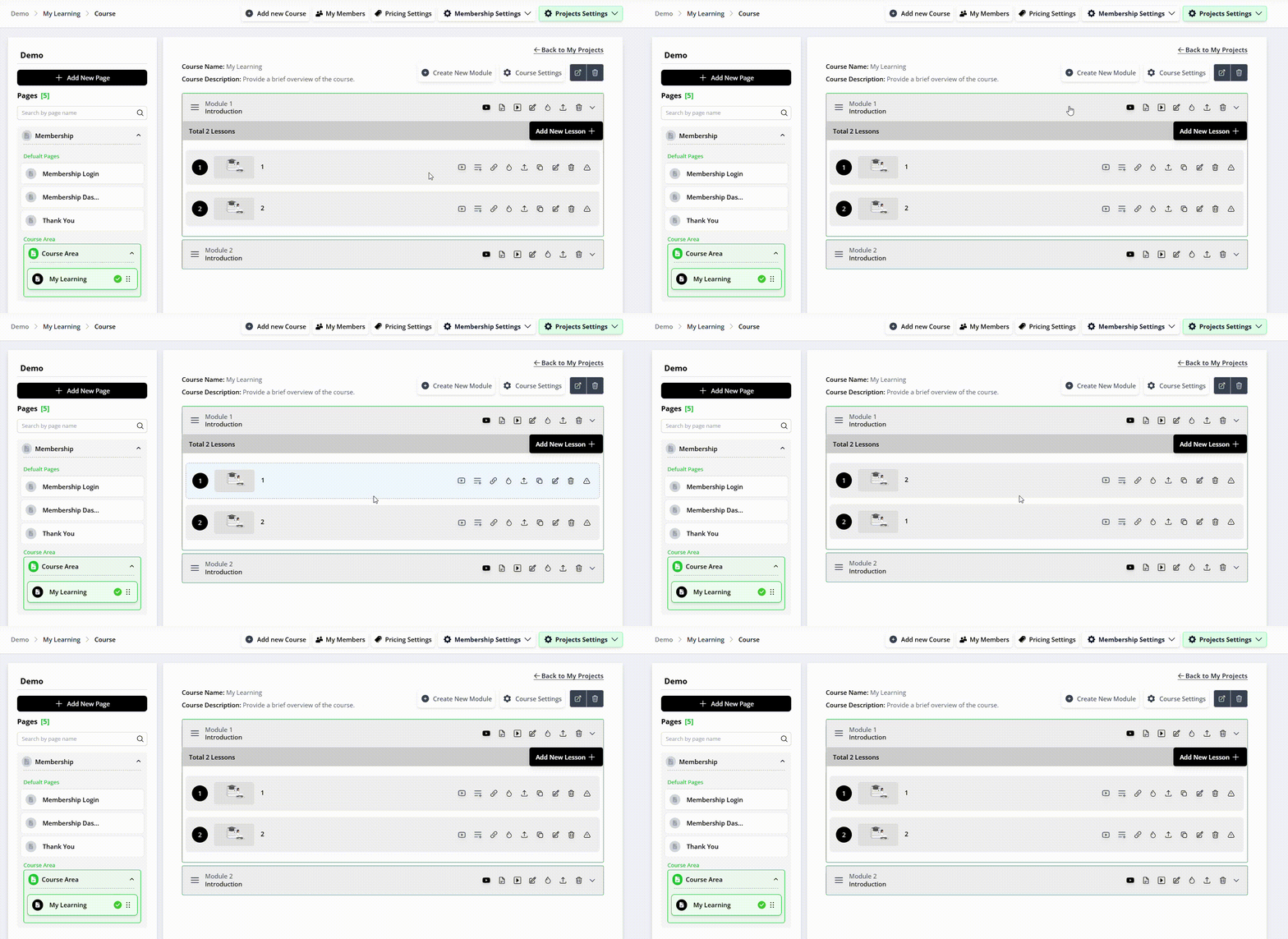
- Click Expand or the arrow icon next to the module name
- The lessons inside will appear
- Use the same three-line drag handle next to each lesson
- Drag lessons up or down to reorder them
- Wait for the save confirmation
That's all you need to shuffle the modules & lessons!
Common Issues & Quick Fixes
Issue: The drag handle isn't there or is grayed out
- ✓ Check your permissions — you need Editor or Admin access
- ✓ Try refreshing the page
- ✓ Log out and back in
Issue: Drag-and-drop isn't working
- ✓ Clear your browser cache (Ctrl+Shift+Delete, then clear "Cached images and files")
- ✓ Try a different browser (Chrome, Firefox, Safari)
- ✓ If on tablet/phone, switch to a computer—drag-and-drop doesn't work on mobile
Issue: Changes aren't saving
- ✓ Look for a green checkmark or "Saved" message after you drop
- ✓ If nothing appears, the drag didn't register—try again
- ✓ If it still doesn't work, contact support with a screenshot
Was this article helpful?
That’s Great!
Thank you for your feedback
Sorry! We couldn't be helpful
Thank you for your feedback
Feedback sent
We appreciate your effort and will try to fix the article