Overview
The FlexiFunnels Affiliate Program allows you to promote FlexiFunnels products using a unique affiliate link and earn commissions when customers purchase through that link. This guide explains how to activate your affiliate account, complete your profile, add payment details, select products, generate your affiliate link, and monitor your performance.
Before You Begin
- Have an active FlexiFunnels account.
- Keep your personal and contact information ready.
- Have accurate bank account details available for commission payouts.
- Decide which FlexiFunnels products or services you want to promote.
Step 1: Open the Affiliate Option
- Sign in to your FlexiFunnels account.
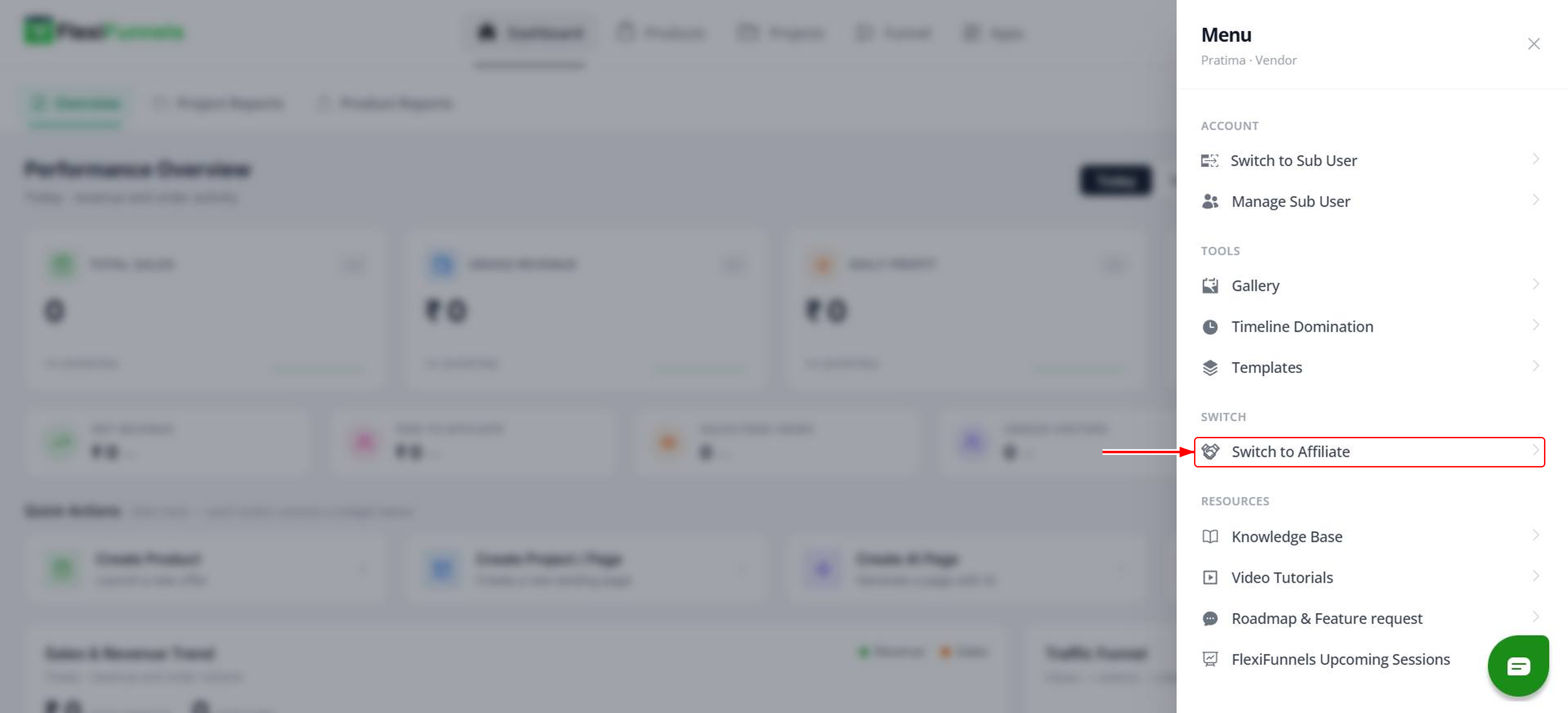
- Click the three-dash menu icon near your profile picture in the top-right corner.
- Select Switch to Affiliate from the dropdown menu. You will be redirected to the Affiliate Dashboard.

Step 2: Complete Your Affiliate Profile
Open the Profile section in the Affiliate Dashboard and provide the information required to identify and contact you.
- Name.
- Email ID.
- Time zone.
- Contact number.
You can also change your password from the profile section if required.
Step 3: Add Your Bank Account Details
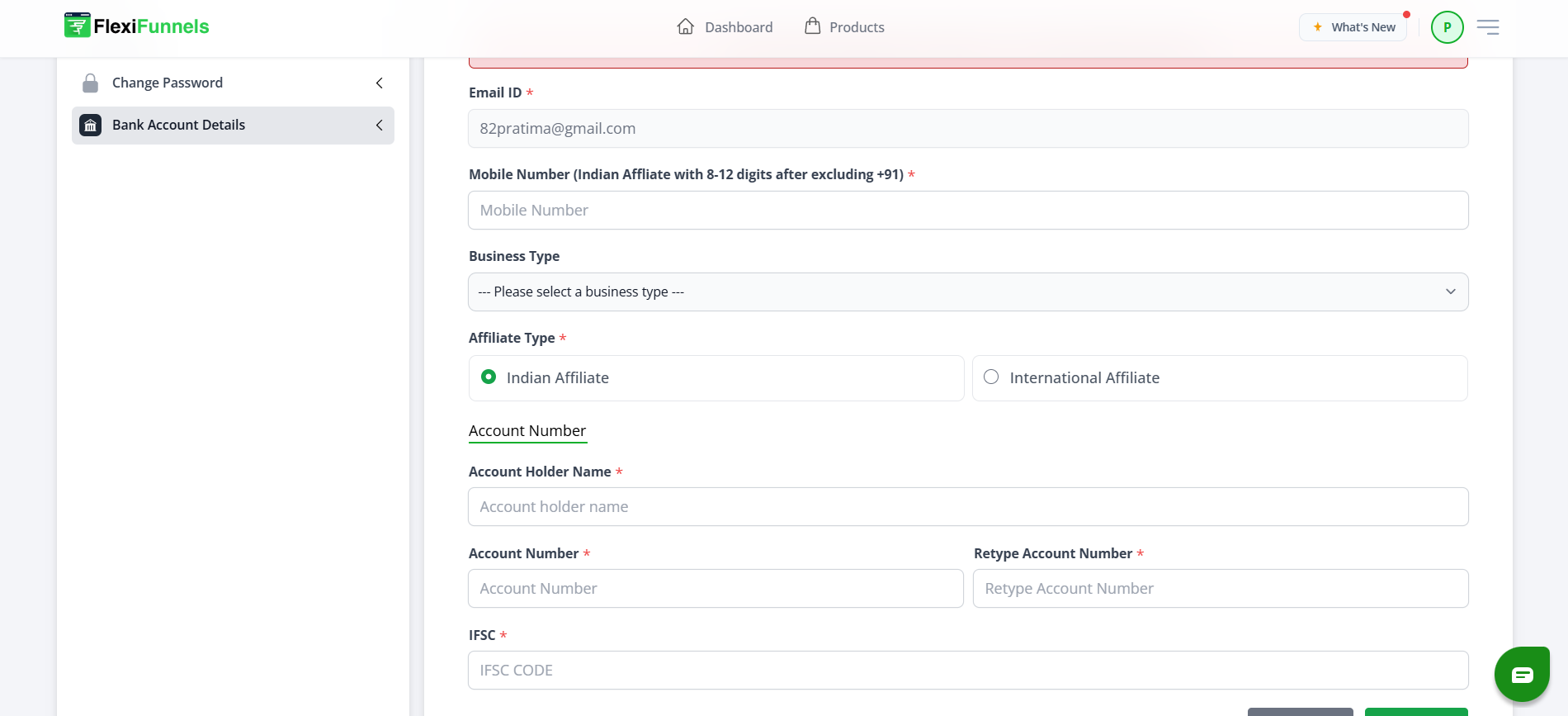
Open the Bank Account section. Completing this section is mandatory because FlexiFunnels uses these details to process affiliate payouts.
- Enter your bank account number.
- Confirm the bank account number.
- Enter the IFSC code.
- Enter your contact number.
- Select your business type based on how you plan to promote FlexiFunnels.
- Select whether you are an Indian Affiliate or an International Affiliate.
- Click Save to store the information.
Step 4: Select a Product to Promote
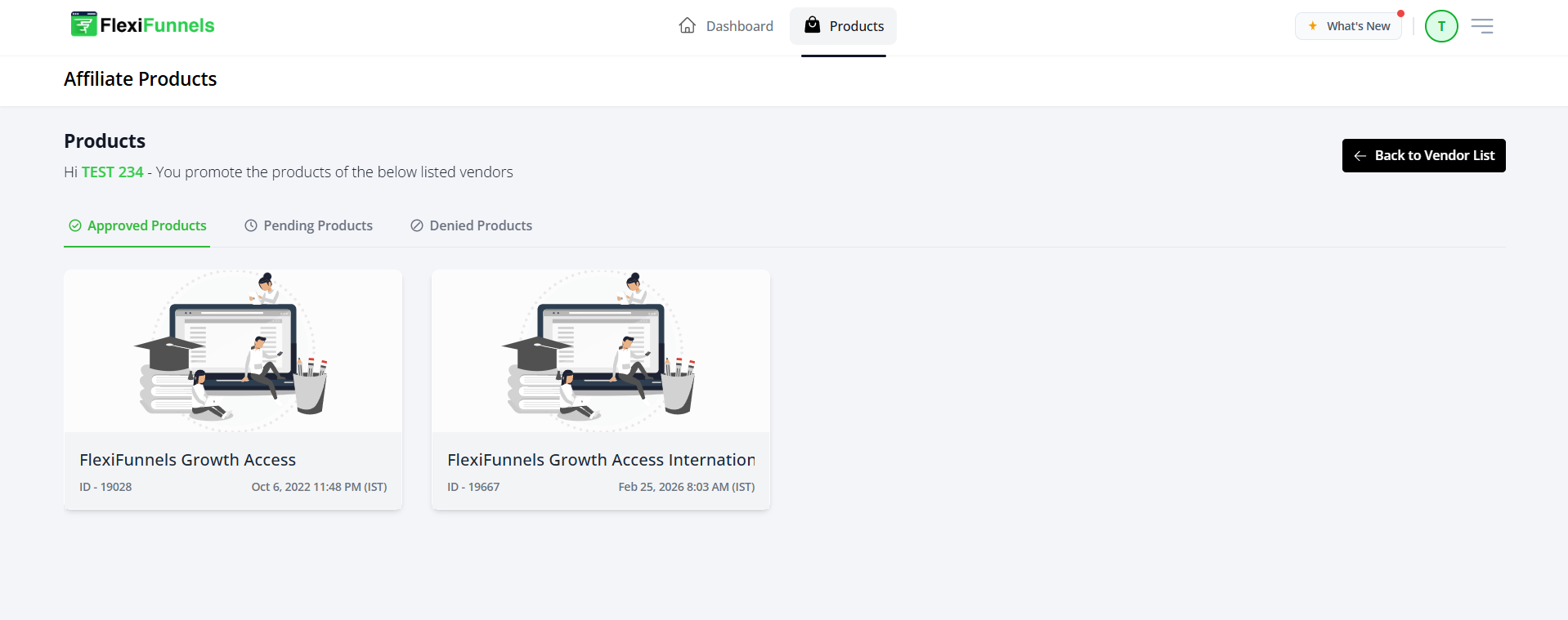
- Open the Product Vendor List section after saving your account details.
- Review the products available to affiliates.
- Click a product name, such as FlexiFunnels Access.
- Review the product details page before generating your promotional link.
Step 5: Generate Your Affiliate Link
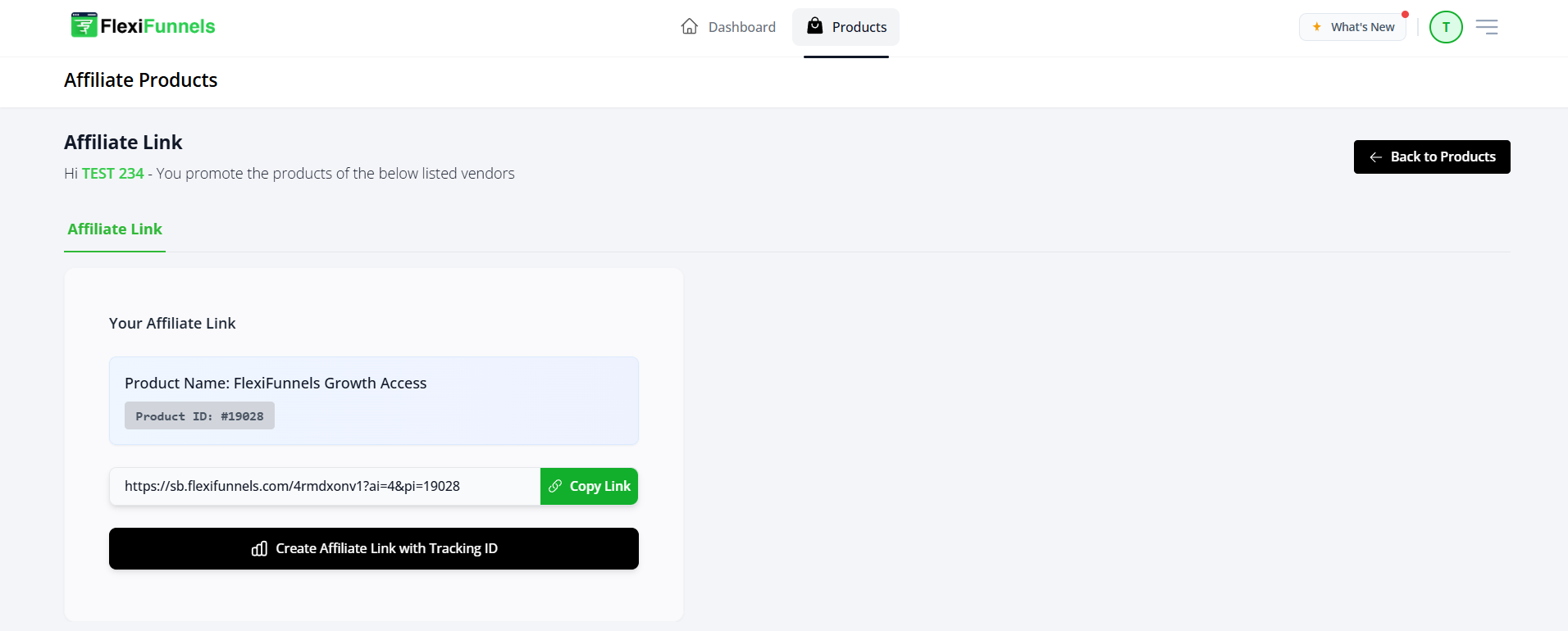
- On the product details page, locate the Affiliate Link option.
- Click the option to generate your unique affiliate link.
- Copy the link and use it in your promotional content.
When someone purchases through your affiliate link, the sale is attributed to your affiliate account and you earn the applicable commission.
Step 6: Track Affiliate Performance
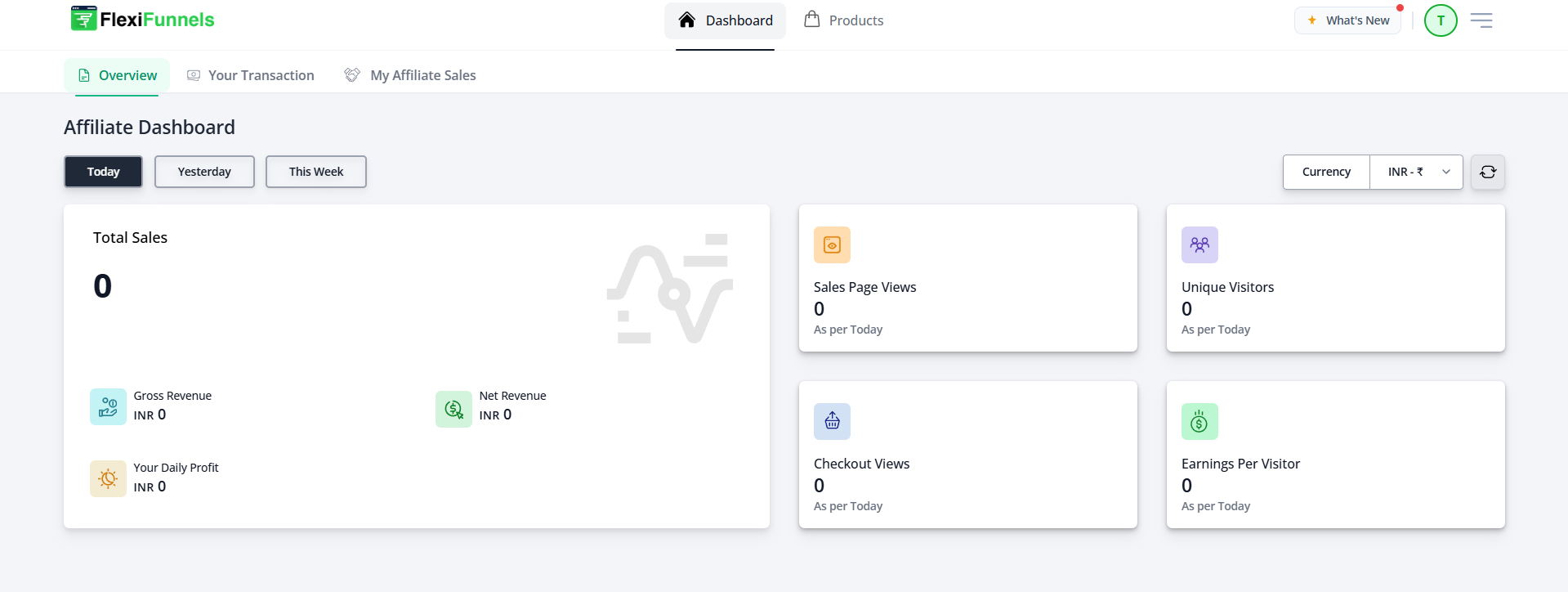
Return to the Affiliate Dashboard to review the performance of your affiliate links and promotional activity.
The dashboard can display:
- Total clicks.
- Sales and commissions.
- Transaction history.
- Payouts and reports.
Verify the Configuration
Confirm that your affiliate profile is complete, your bank account details are saved, and a product appears in the Product Vendor List. Generate an affiliate link and verify that it can be copied and shared. Review the Affiliate Dashboard to confirm that clicks, sales, commissions, and payouts are displayed.
Common Scenarios
- Content promotion: Share your affiliate link in articles, videos, or educational content.
- Audience recommendations: Recommend FlexiFunnels to customers or followers who need funnel-building tools.
- Agency partnerships: Promote FlexiFunnels to businesses that need marketing or funnel services.
- Performance tracking: Review clicks, conversions, and commissions to measure promotional results.
Best Practices
- Complete every profile field accurately.
- Double-check bank account and IFSC details before saving.
- Use the affiliate link generated for the correct product.
- Do not replace or modify the affiliate link parameters.
- Explain the product accurately when promoting it.
- Review clicks and commissions regularly.
- Keep your contact and payment information updated.
Before Contacting Support
- Confirm that you selected Switch to Affiliate.
- Verify that your profile information is complete.
- Confirm that your bank account details were saved successfully.
- Check that you selected the correct affiliate type.
- Verify that the affiliate link belongs to the intended product.
- Review the Affiliate Dashboard for recorded clicks or transactions.
Expected Outcome
Your FlexiFunnels affiliate account is activated with a completed profile, valid payout information, and a unique affiliate link for the selected product. You can share the link, earn commissions from eligible purchases, and monitor performance through the Affiliate Dashboard.
Was this article helpful?
That’s Great!
Thank you for your feedback
Sorry! We couldn't be helpful
Thank you for your feedback
Feedback sent
We appreciate your effort and will try to fix the article