Overview
FlexiFunnels Subuser Access allows Account Owners to give team members controlled access to specific features without sharing the primary account credentials. Subusers can be permitted to use the Flexi AI Marketing Engine for creating AI-powered ad copies, emails, and marketing assets, as well as Split Testing for comparing funnel variations and improving performance.
Before You Begin
- Confirm that you can sign in to the FlexiFunnels Account Owner account.
- Ensure that the subuser has already been created, or have the subuser's details ready.
- Decide whether the subuser should access the Flexi AI Marketing Engine, Split Testing, or both.
Step-by-Step Instructions
Step 1: Open the Account Menu
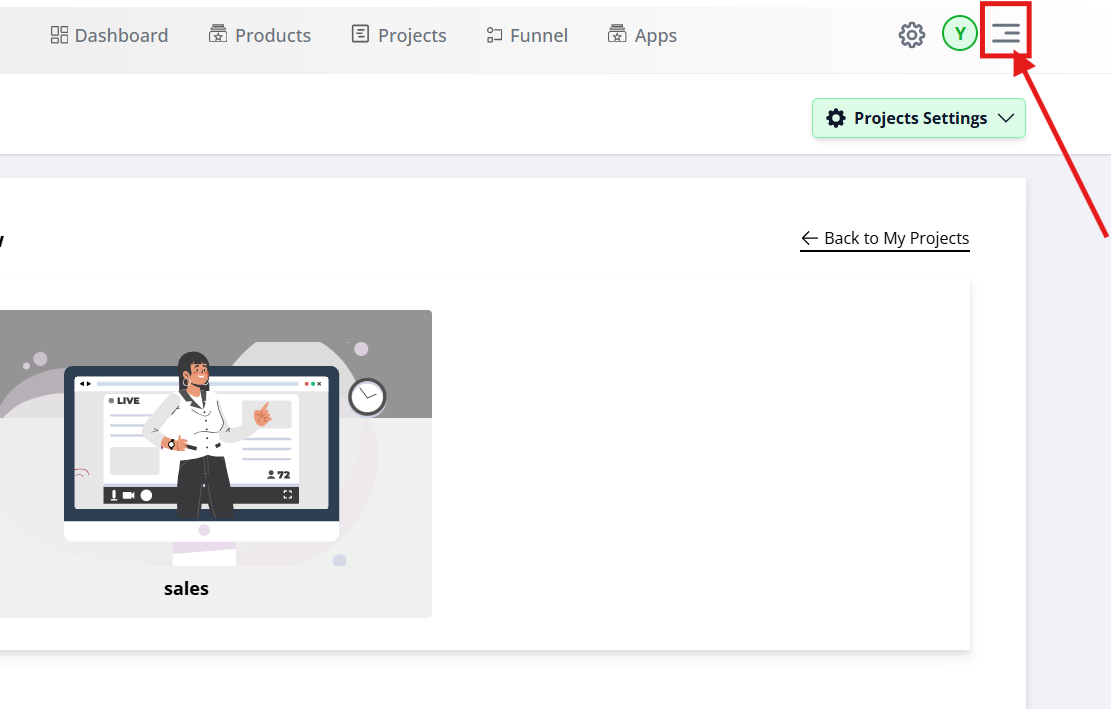
Sign in to FlexiFunnels and open the account menu from the top-right corner. This menu provides access to account-level management options, including subuser administration.
Step 2: Open Manage Subusers
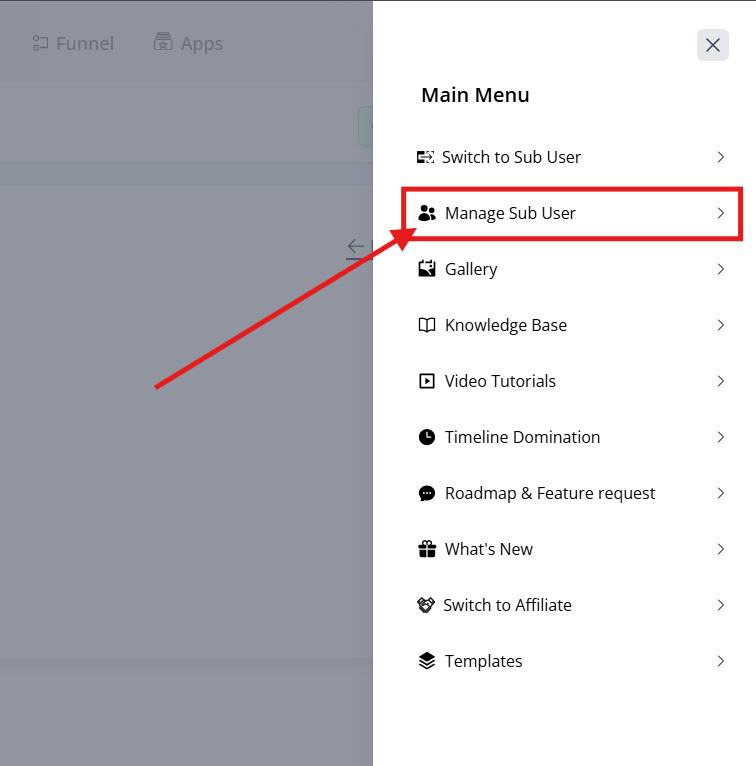
From the dropdown menu, select Manage Subuser. This page displays the subusers associated with your FlexiFunnels account and allows you to create, edit, and manage their permissions.
Step 3: Add or Edit a Subuser
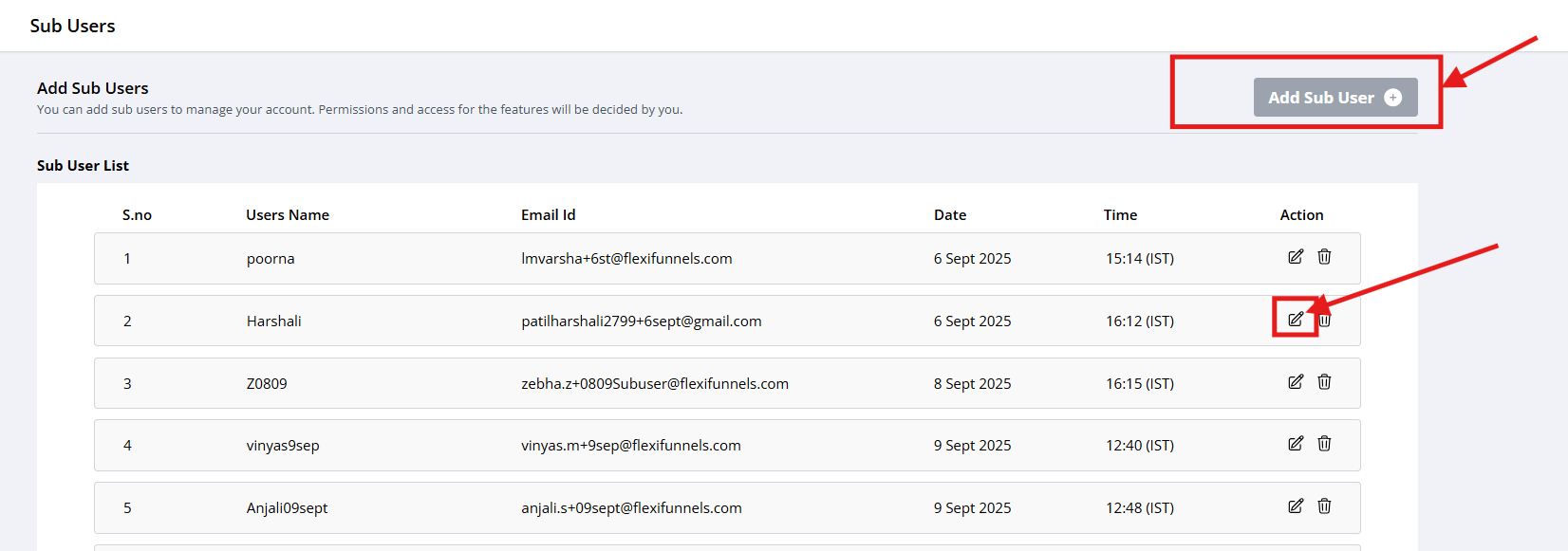
Choose the action that matches your requirement:
- Edit: Select Edit to update permissions for an existing subuser.
- Add New User: Select Add New User to create a new subuser and configure their access.
Step 4: Enable Feature Access
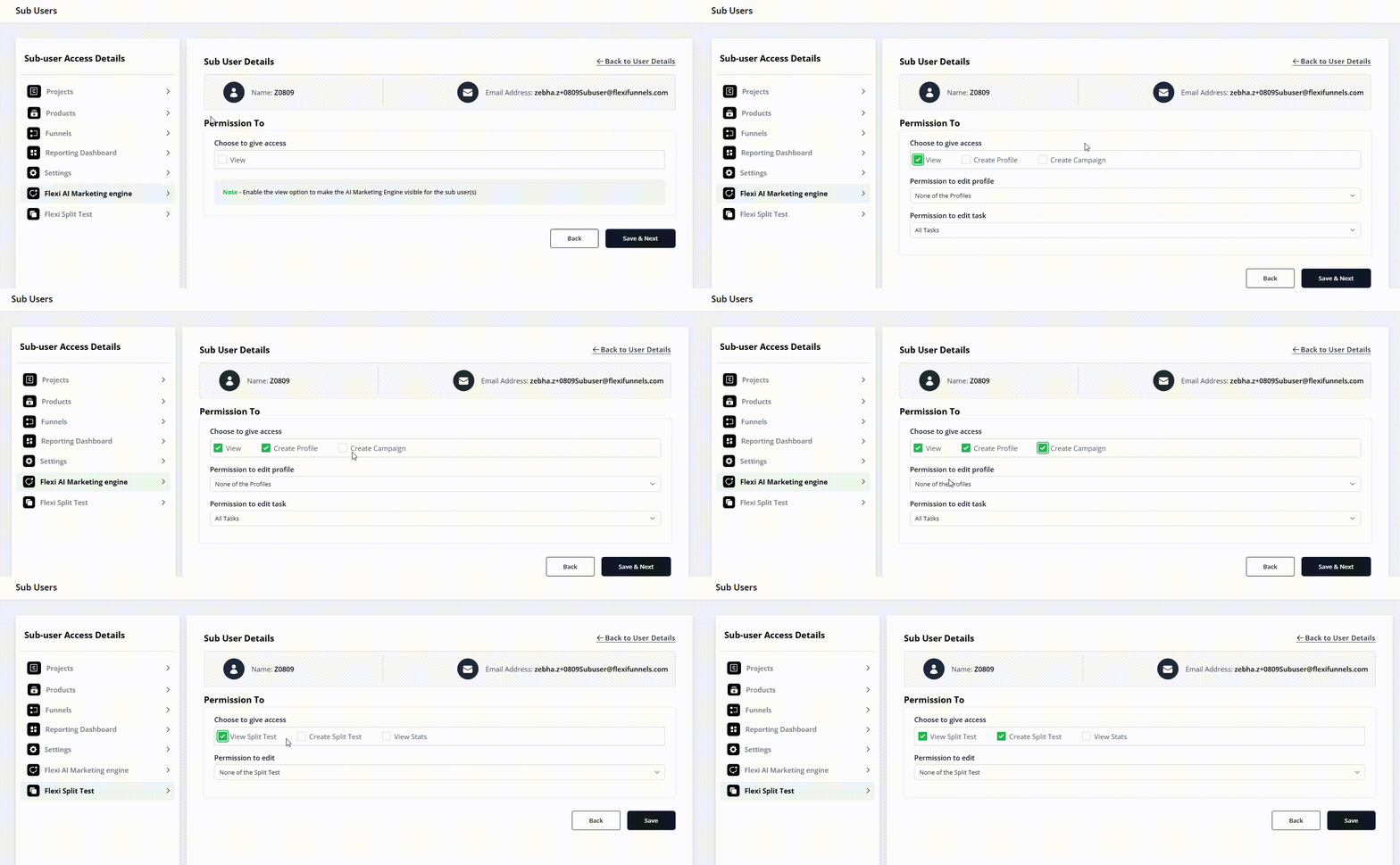
In the subuser permissions list, locate the options for:
- Flexi AI Marketing Engine
- Split Testing
Enable each feature that the subuser needs to use. Enabling a feature adds the corresponding capability to that subuser's FlexiFunnels workspace while leaving other features restricted.
Step 5: Save the Permission Changes
Save the updated subuser permissions. The changes take effect after they are saved, allowing the subuser to use the enabled tools according to the access granted.
Verify the Configuration
Confirm that the selected feature permissions remain enabled for the subuser. Ask the subuser to sign in and verify that the Flexi AI Marketing Engine and Split Testing tools are available when expected. If a tool is not visible, review the subuser's permissions and save the changes again.
Common Scenarios
- Marketing collaboration: Allow a marketing team member to create ad copy, emails, and other assets using the Flexi AI Marketing Engine.
- Funnel optimization: Give a conversion specialist access to Split Testing so they can compare funnel variations.
- Agency delegation: Grant selected tools to an external collaborator without providing full account access.
- Team-based operations: Enable both features for subusers who manage campaign creation and performance optimization.
Best Practices
- Grant only the features required for the subuser's responsibilities.
- Review subuser permissions regularly.
- Enable Split Testing only for users who understand how to interpret test results.
- Restrict AI Marketing Engine access when generated content requires additional approval.
- Remove access when a team member or external collaborator no longer needs it.
- Ask subusers to verify their access after permissions are updated.
Before Contacting Support
- Confirm that you edited the correct subuser account.
- Verify that the required feature checkbox is enabled.
- Confirm that the permission changes were saved.
- Ask the subuser to sign out and sign in again.
- Check whether the subuser can access the enabled tool after signing in again.
Expected Outcome
The selected subuser can access the Flexi AI Marketing Engine, Split Testing, or both, based on the permissions enabled by the Account Owner. Other restricted account features remain unavailable to that subuser.
Was this article helpful?
That’s Great!
Thank you for your feedback
Sorry! We couldn't be helpful
Thank you for your feedback
Feedback sent
We appreciate your effort and will try to fix the article