Overview
Integrating Emailit with FlexiFunnels lets you send emails and automate your communication directly from your Emailit account. Follow the steps below to successfully connect your Emailit account.
Step 1: Login to Your Emailit Account
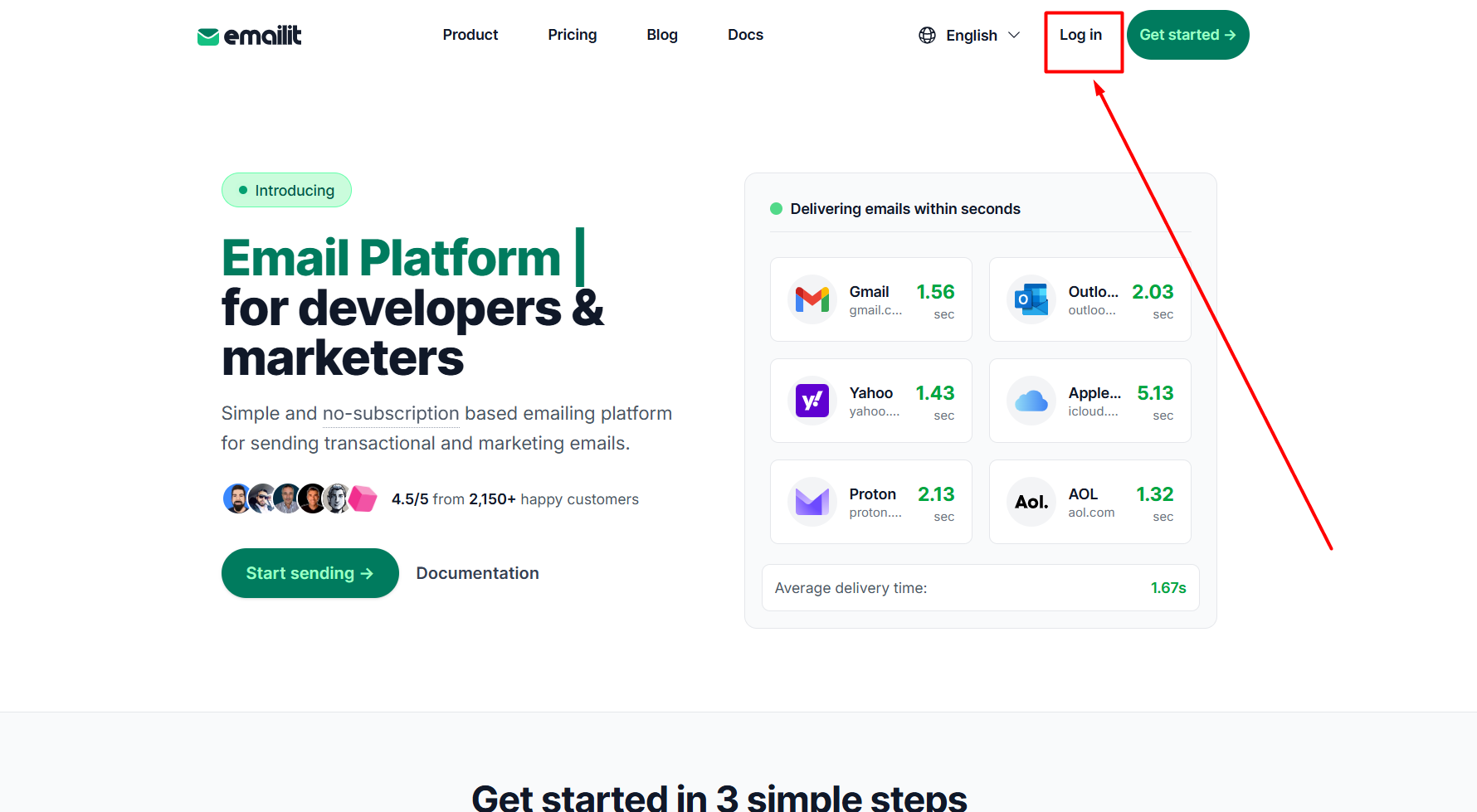
- Enter your login credentials and sign in.

Step 2: Navigate to the API Key Section
- From the Emailit dashboard, navigate to the API Key section.
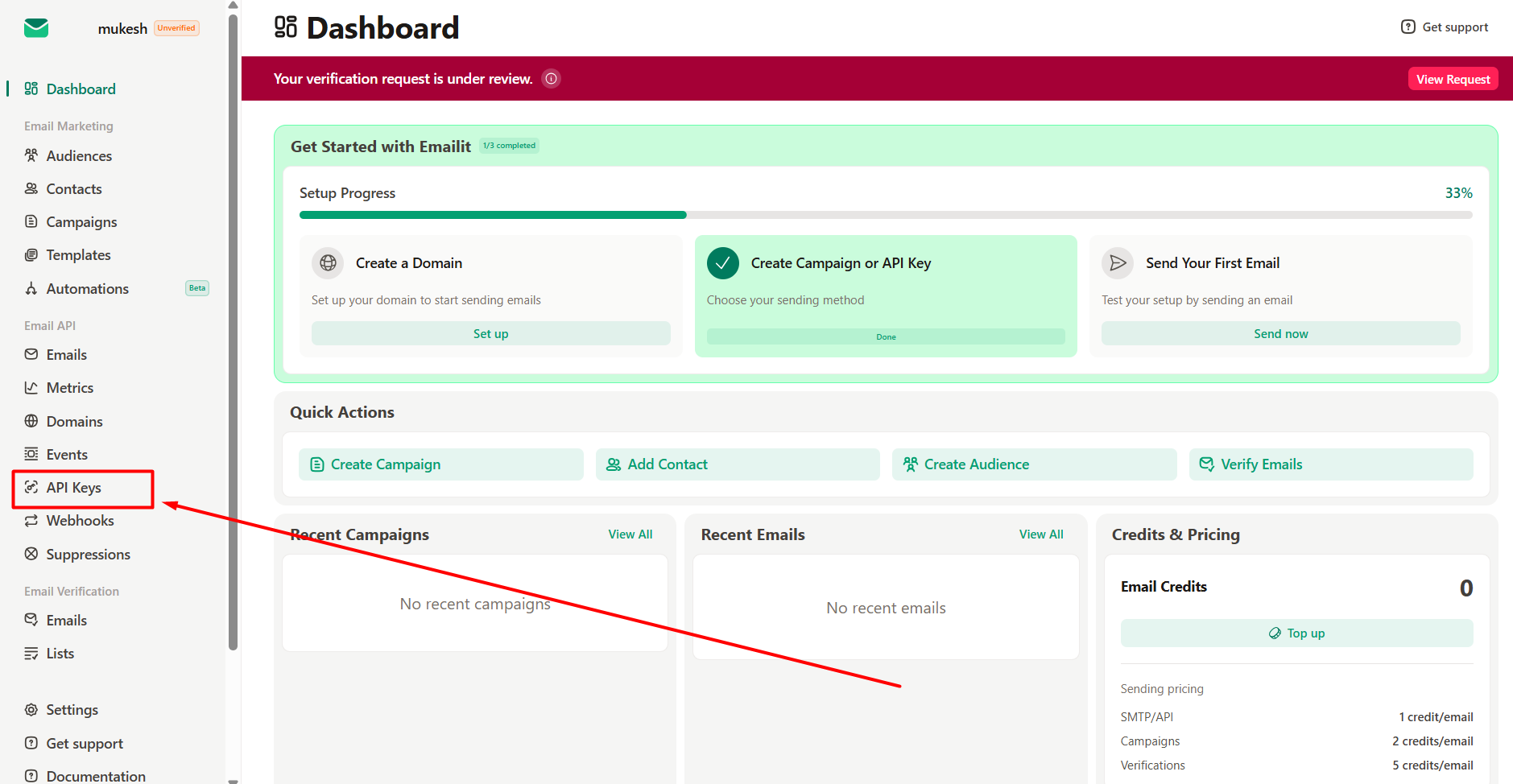
Step 3: Generate or Copy Your API Key
If you don't already have an API key:
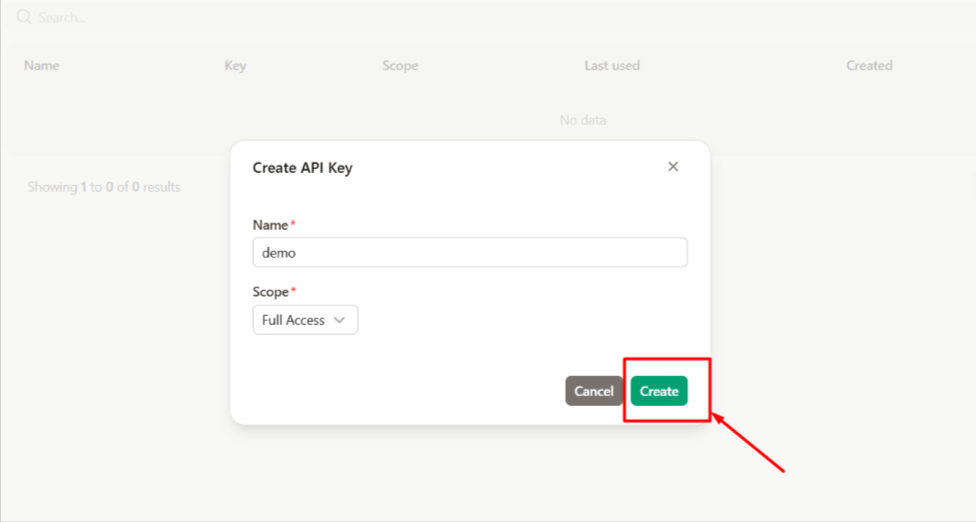
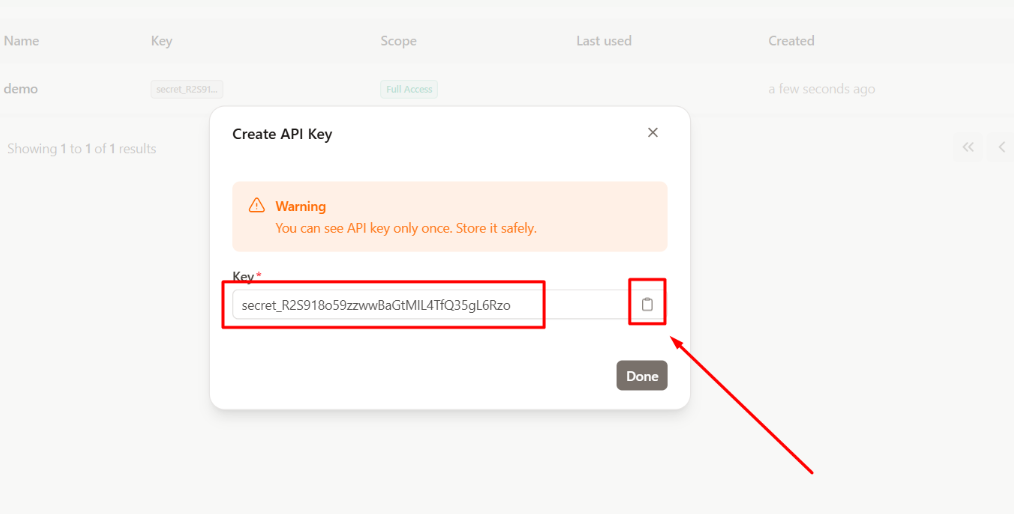
- Click Generate API Key.
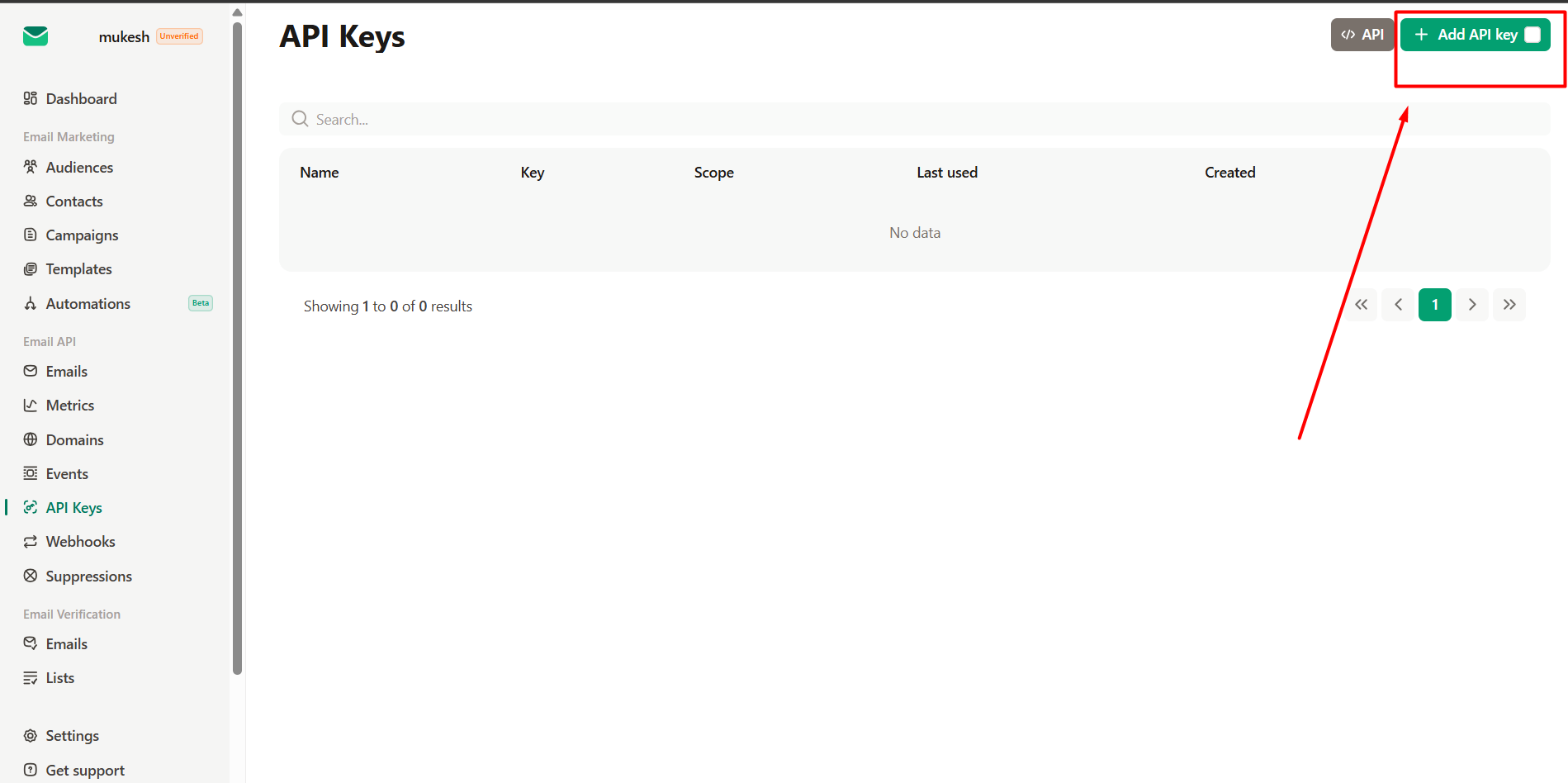
- Enter the required details and click Create.
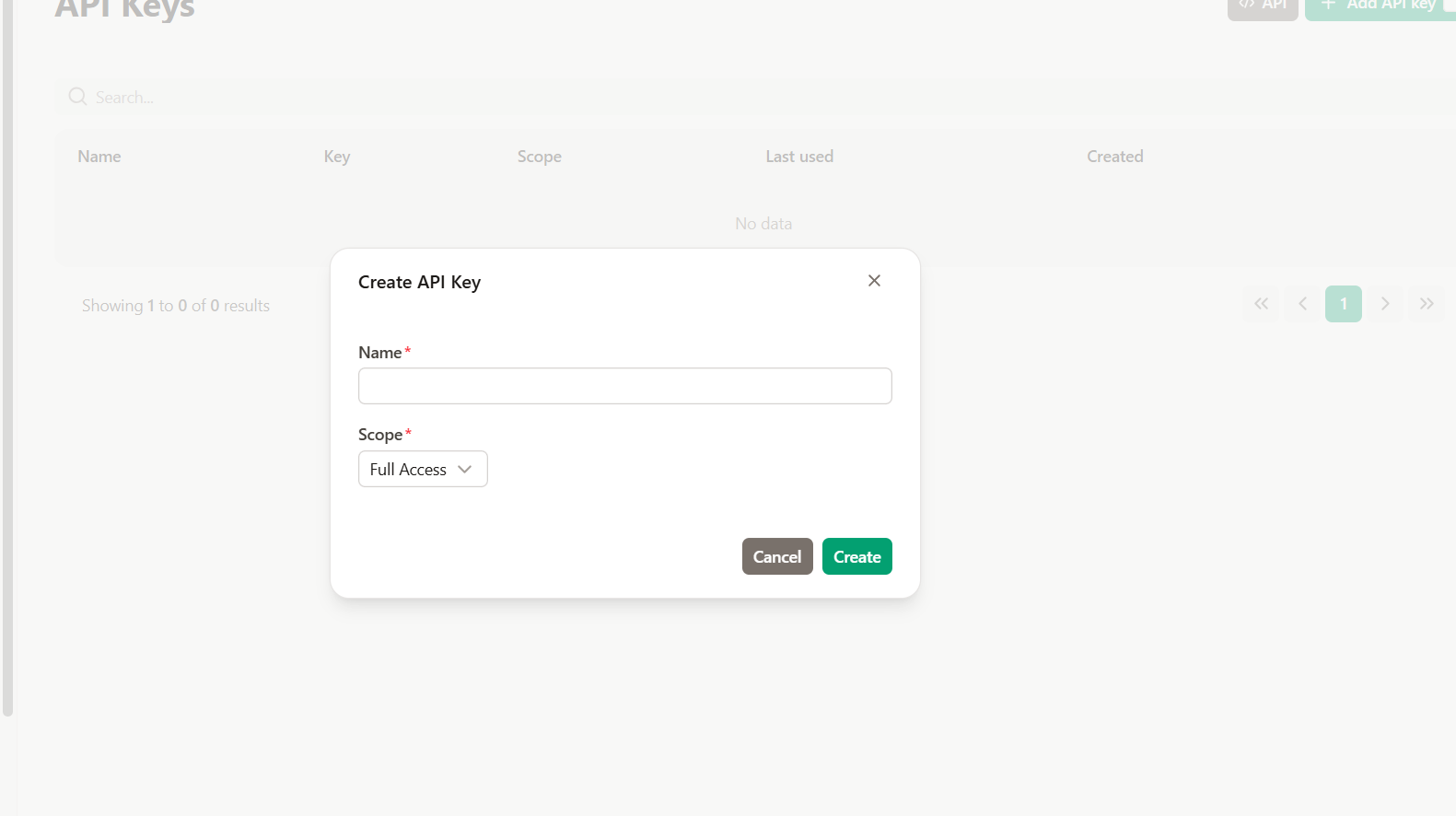
- Once the API key is generated, copy it for later use.
Step 4: Open the FlexiFunnels Dashboard
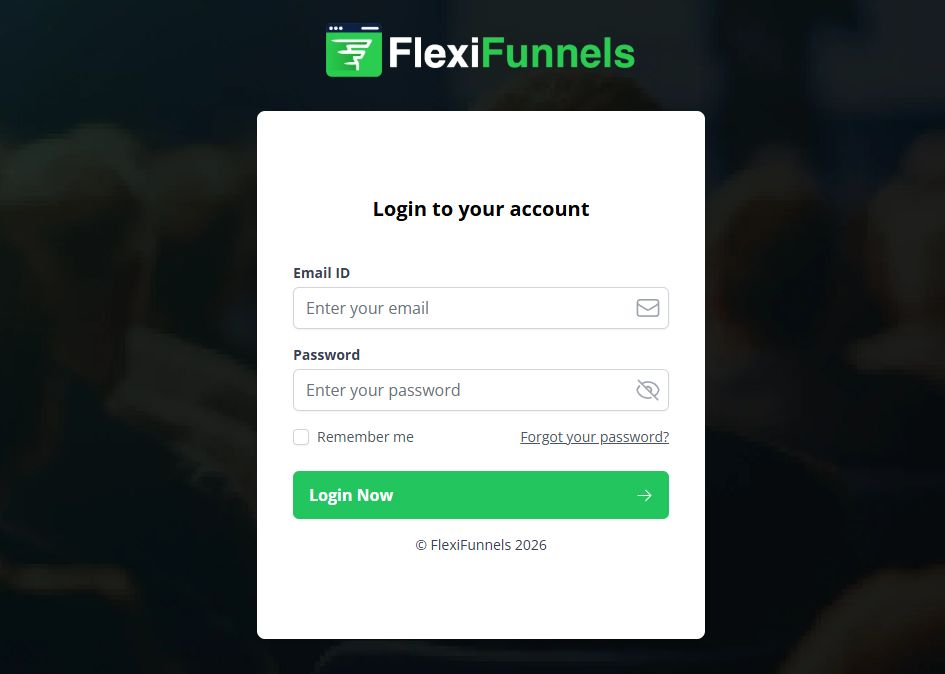
- Log in to your FlexiFunnels account.
2. Navigate to the Integrations section.
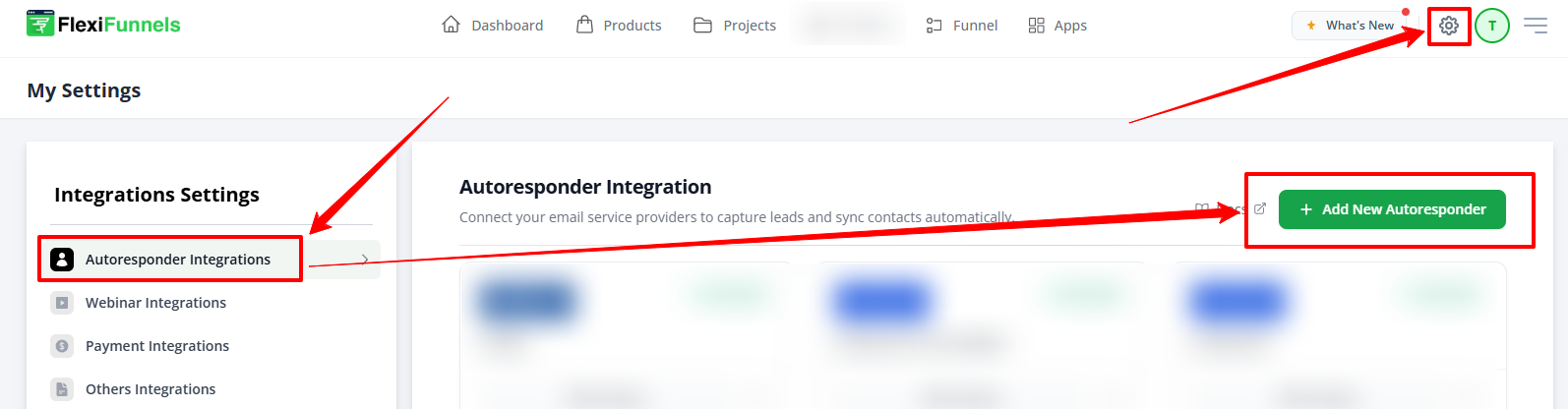
Step 5: Add a New Integration
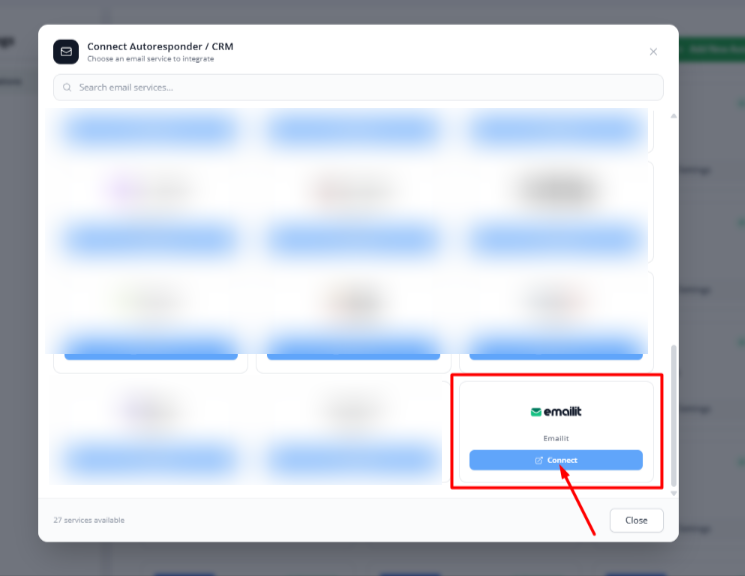
- Select Emailit from the list of available autoresponders.
Step 6: Enter the API Details
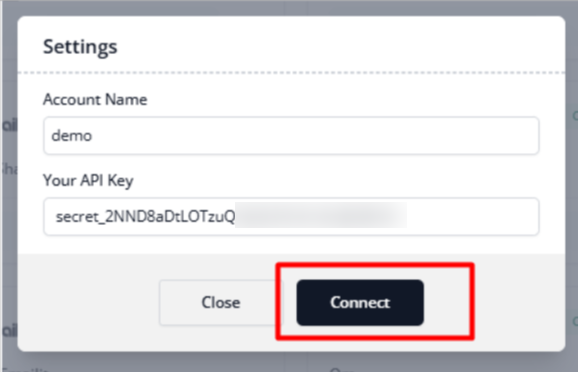
- Paste the API key copied from your Emailit account.
- Fill in any additional required fields.
- Click Connect or Save to complete the integration.
Step 7: Verify the Integration
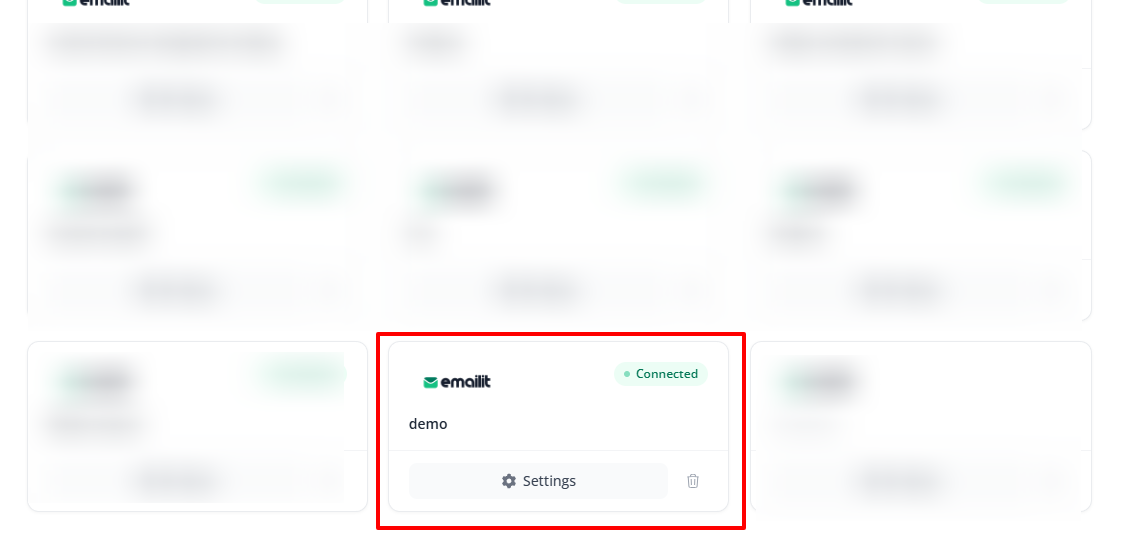
After the connection is successful, the integration status should display Connected or Active.
Was this article helpful?
That’s Great!
Thank you for your feedback
Sorry! We couldn't be helpful
Thank you for your feedback
Feedback sent
We appreciate your effort and will try to fix the article