The Account Subdomain feature is now live for all users. You can switch your core FlexiFunnels subdomain and set any page as the homepage for that subdomain.
This allows you to connect your FlexiFunnels subdomain directly to a specific project and page.
Steps to Configure the Default Homepage for Account Subdomain
Step 1: Open General Settings
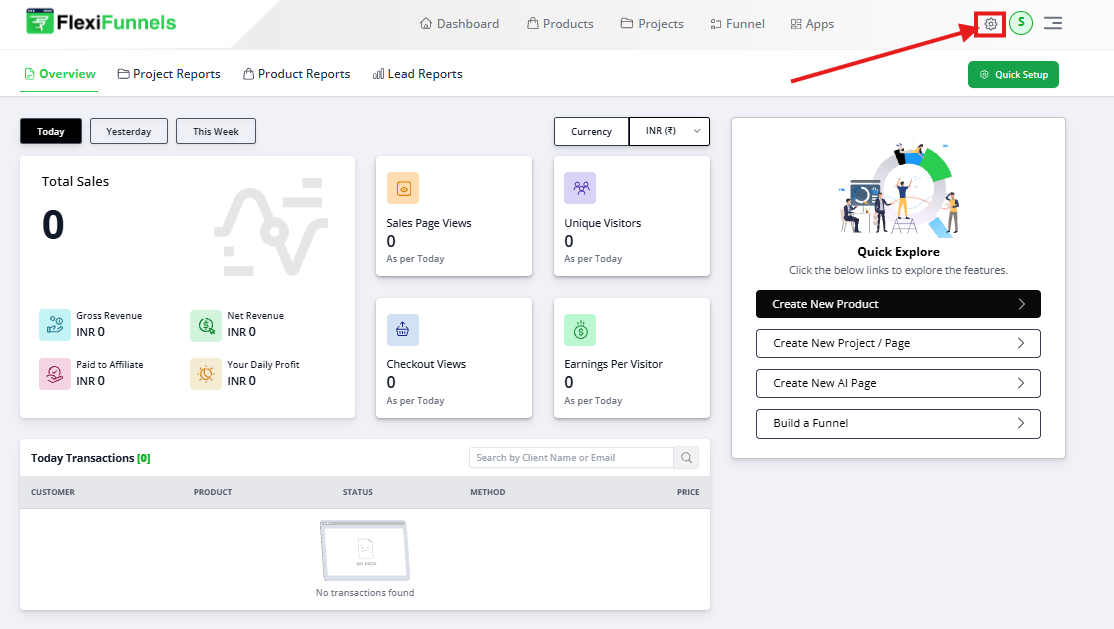
Log in to your FlexiFunnels Dashboard
Click on the Settings (⚙️ icon) from the top-right corner
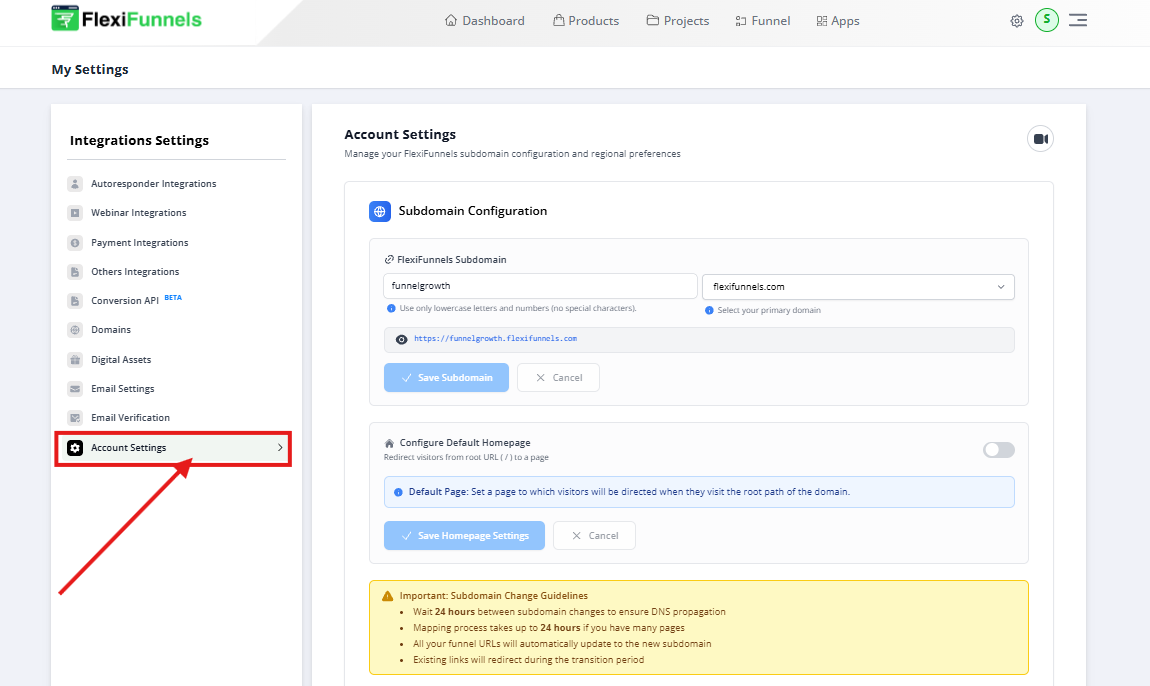
Navigate to Account Settings
Step 2: Access Account Subdomain Settings
Under Account Settings, locate the Subdomain Configuration section
Here, you can view and manage your FlexiFunnels subdomain
Step 3: Configure Default Homepage
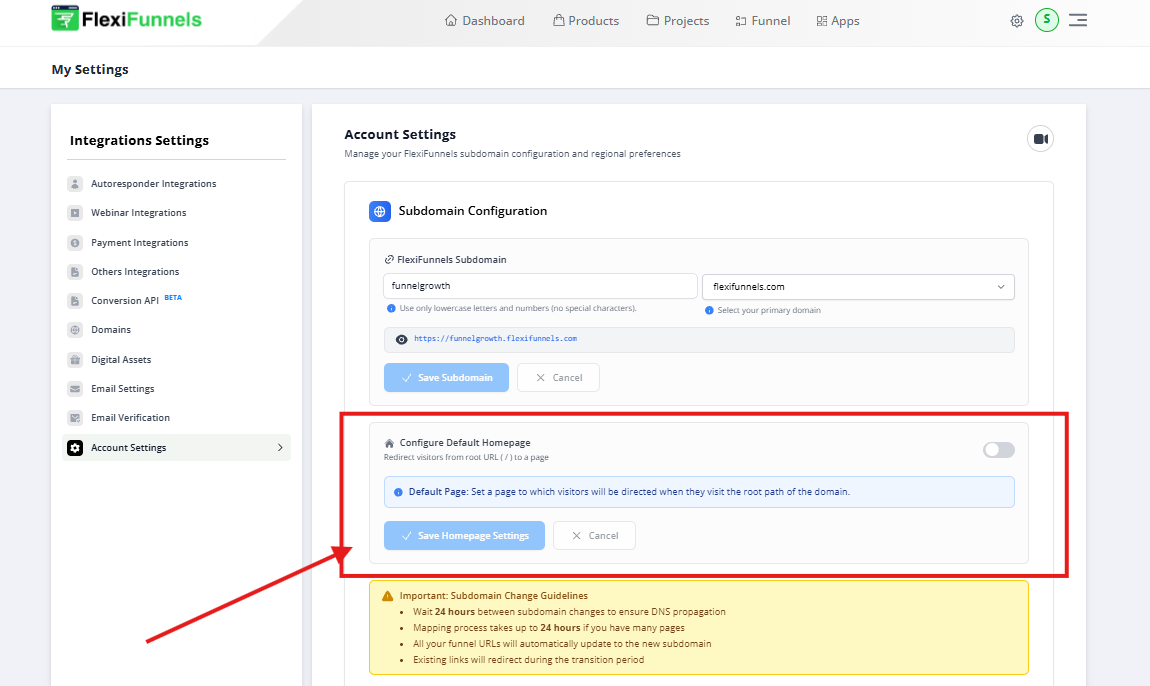
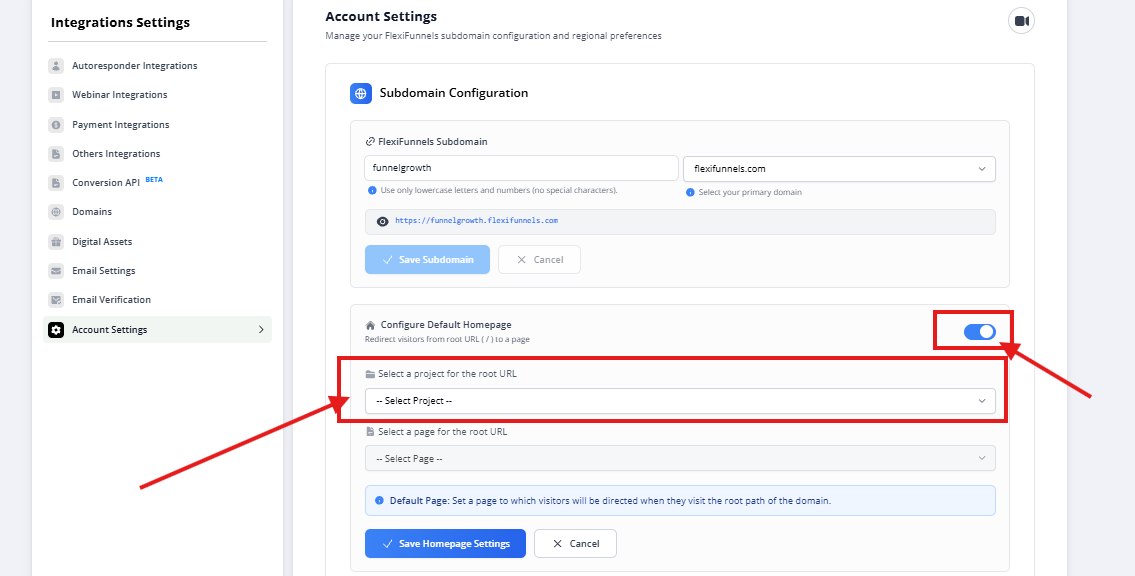
Scroll down to find Configure Default Homepage
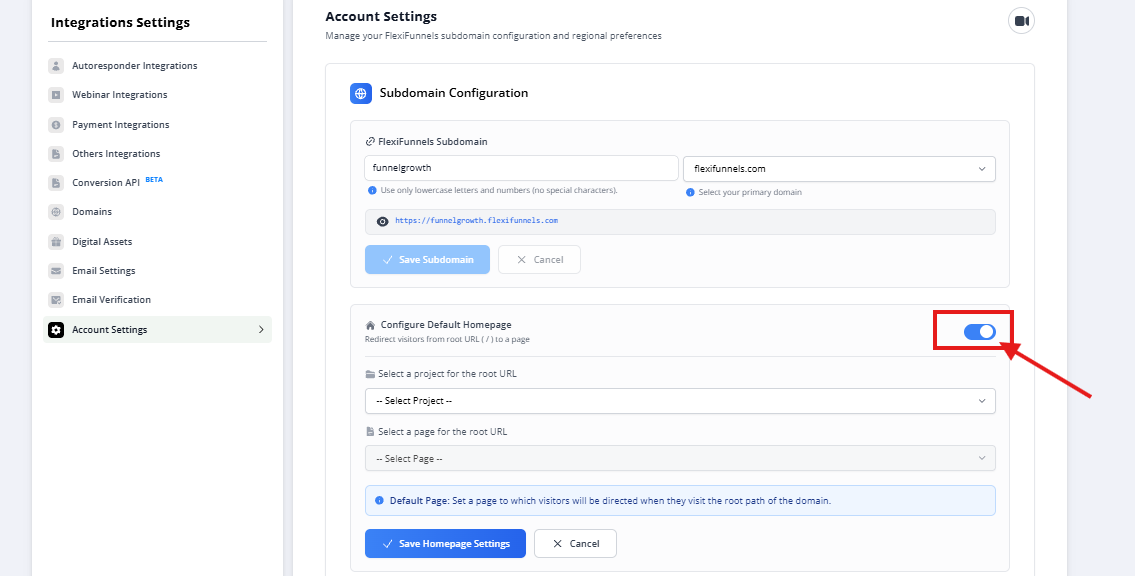
Enable the toggle if it’s not already enabled
Step 4: Select Project for Homepage
From the dropdown, select the project you want to use as the homepage
This project should contain the page you want visitors to land on
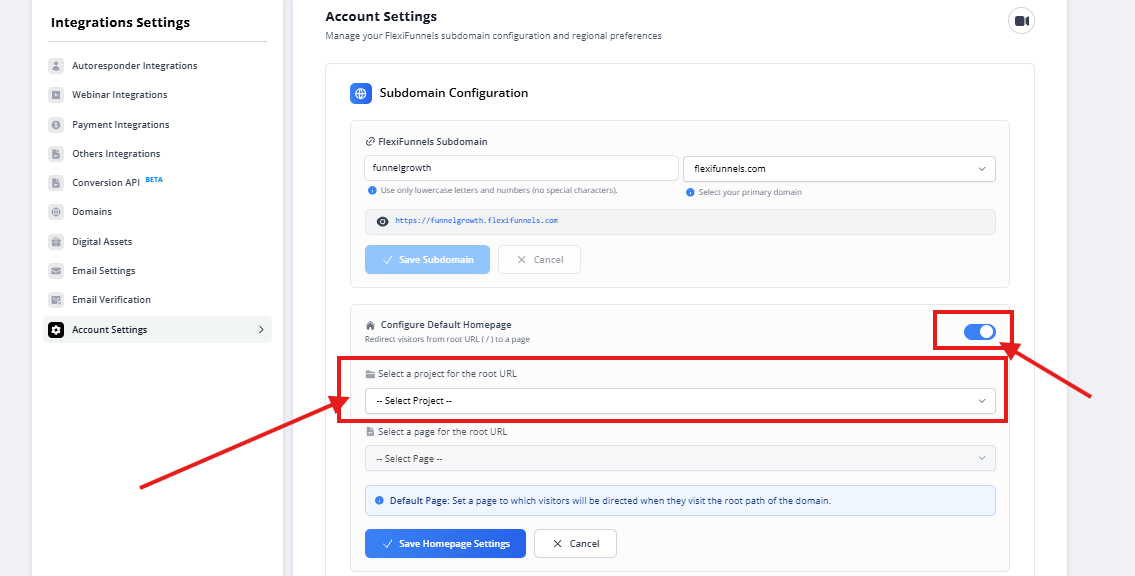
Step 5: Select Page for Root URL
Choose the specific page within the selected project
This page will be shown when someone visits your account subdomain (root URL)
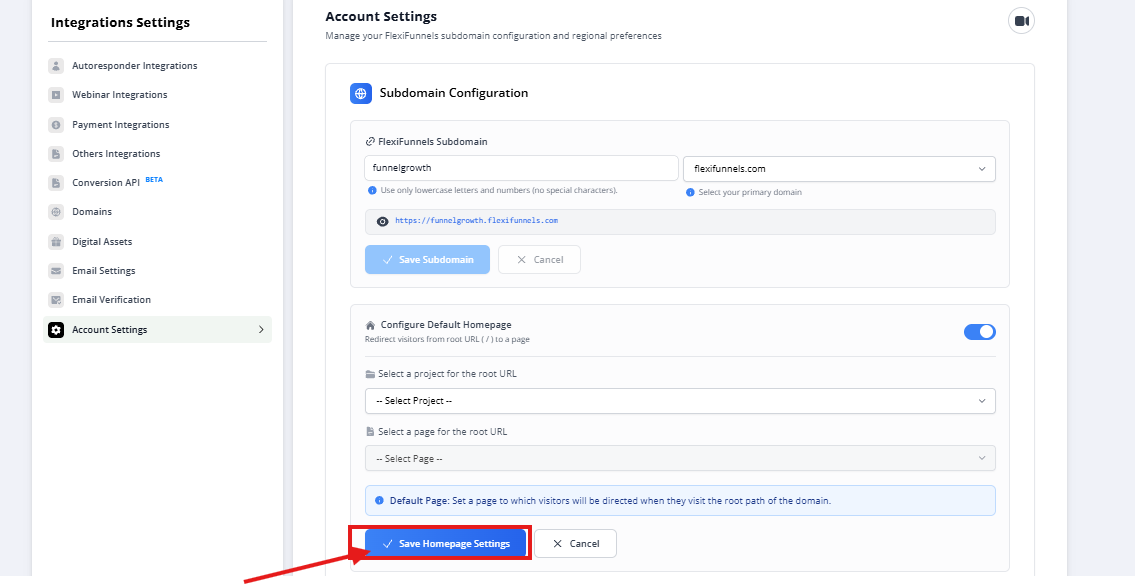
Step 6: Save Settings
Click on Save Homepage Settings
Your selected page is now live as the homepage for your FlexiFunnels subdomain
Was this article helpful?
That’s Great!
Thank you for your feedback
Sorry! We couldn't be helpful
Thank you for your feedback
Feedback sent
We appreciate your effort and will try to fix the article